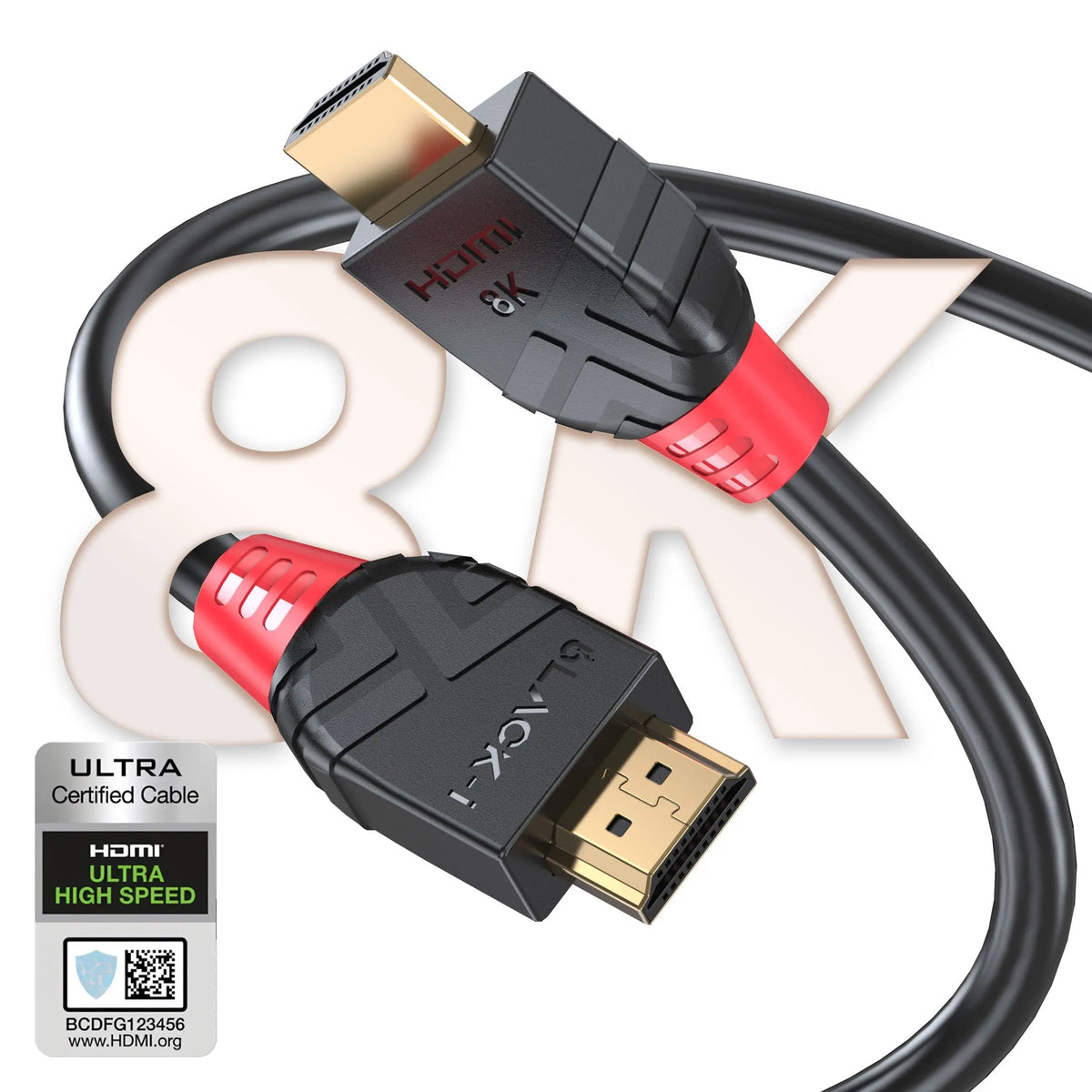
If you are comparing an hdmi 2.1 cable for a TV, monitor, console, or PC, it helps to separate the cable from the standard itself. HDMI 2.1 is not just a product label; it is a set of capabilities that depends on the source device, the display, and the cable working together. That matters most when you want smoother gaming, cleaner motion, or higher resolution video without avoidable signal problems. The right choice is usually less about chasing a name and more about matching your setup.
What HDMI 2.1 means
HDMI 2.1 is best understood as a broader connection standard, not just a cable type. A compatible port on your console, PC, TV, or monitor must support the feature set you want, and the cable must be able to carry the signal reliably. In everyday use, that means the difference between simply connecting a screen and actually getting the performance your devices can offer. For home entertainment and gaming setups, HDMI 2.1 is mainly about making sure the whole chain is ready for modern video needs.
Bandwidth and features that matter
Bandwidth is the main reason HDMI 2.1 gets attention. More bandwidth gives the connection room to move more data at once, which supports sharper resolution, higher refresh rates, and smoother motion. That is why ultra high speed hdmi 2.1 cables are commonly recommended for newer displays and demanding source devices. Advanced audio features can also travel through the same link, including ARC or eARC where supported, but the actual result still depends on what your devices support and how they are configured. The cable enables the path; it does not create capabilities on its own.
48Gbps in plain language
The 48Gbps headline number simply means the connection can handle very demanding video signals. That becomes relevant when you are pushing beyond basic playback and into higher-end use cases such as 4K at high refresh rates, 8K output, or other data-heavy formats. Even then, the final outcome depends on the source device, the display, and the settings selected on both ends. If one part of the chain is limited, the entire setup may fall back to a lower mode.
Gaming-focused benefits
For gaming, the biggest appeal is smoother output at higher refresh rates. That can help reduce visual stutter and make fast movement feel more responsive, especially on compatible consoles and PCs. If your display supports the right HDMI 2.1 features, the connection can better keep up with modern gaming signals. The practical advantage is not just technical spec language; it is a more stable and fluid experience when the game, display, and connection are all aligned.
What to expect from an HDMI 2.1 cable
An hdmi 2.1 cable is about signal delivery, not a shortcut to upgrading older hardware. A certified or ultra high speed cable is designed to carry the higher bandwidth associated with HDMI 2.1 more reliably, especially when the setup is close to its limits. That matters most with longer runs, higher resolutions, or high refresh rates. Good cable construction can improve consistency, but it cannot add HDMI 2.1 support to a port that does not have it. In practical terms, that makes it a plug and play accessory only when the rest of the setup is already compatible.
When certification matters
Certification can make shopping easier because it reduces guesswork. Instead of relying on vague marketing terms, you get a clearer signal that the cable is meant for the required performance level. For buyers replacing a worn cable or setting up a new gaming or TV connection, that practical reassurance is often the main value. It helps narrow down options when reliability matters more than appearance alone.
Choosing the right length for your setup
Length should match your room layout, not the other way around. Shorter cables are usually simpler to manage, while longer runs need more care because the signal has more distance to travel. A 3 meter cable is a common middle ground for living rooms and desks where devices are not directly beside the display. Think about reach, routing, and whether the cable will bend tightly behind furniture or a wall-mounted screen.
3 meter cable use cases
A 3 meter HDMI 2.1 cable works well for consoles and PCs placed under a TV stand, beside a monitor arm, or across a modest desk setup. It gives enough slack for cable management without creating excess clutter. The ideal length still depends on where the ports sit, how the furniture is arranged, and whether you want hidden routing or easy access for swaps. A neat path is often as important as the number on the box.
Best fit for consoles and pcs
Consoles and pcs both benefit when the display and connection support HDMI 2.1 features. That is especially true in gaming setups where higher refresh rates and smoother output are part of the goal. The cable helps carry the signal, but the full experience depends on the TV or monitor as well as the port on the device. In shared entertainment spaces, that means checking the whole chain before assuming a plug-and-play upgrade.
How to check compatibility before buying
Before you buy, confirm the HDMI ports on both ends and check what resolution and refresh rate each device actually supports. It is also worth looking at the display manual for HDMI 2.1 feature support and any settings that need to be enabled, including ARC or eARC if audio return is important in your setup. Older devices may still connect and work normally, but they may not deliver the full benefits associated with HDMI 2.1. A quick compatibility check can prevent returns and help set realistic expectations.
Common setup mistakes
One common mistake is assuming every HDMI port on a TV, monitor, or AV device behaves the same way. Another is adding adapters or older equipment into the chain and expecting full performance anyway. Those extra links can limit the final result even when the cable itself is capable. If the goal is a high-performance setup, each component should support the same level of output.
Quick buying checklist
- Confirm bandwidth needs for your resolution and refresh rate.
- Match the cable to compatible devices and ports.
- Choose the right length for your desk or living room layout.
- Prefer reliable cable quality when performance matters most.
- Use the setup that fits your goal, whether gaming, TV, or PC use.

Leave a comment
This site is protected by hCaptcha and the hCaptcha Privacy Policy and Terms of Service apply.